Photo: the tuning dial and station scale of a valve radio. Old vintage radio - Offenburg.jpg by th_norge, CC BY 4.0.
You scroll the app hunting for the Radio button that older guides promise, find nothing, and conclude that a Spotify radio station is a feature Spotify quietly killed.
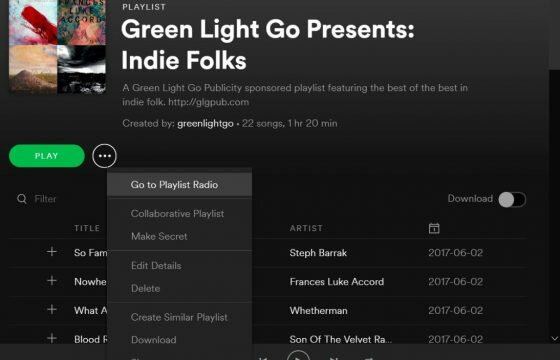
It was not killed. It lost its own tab and moved inside the overflow menu of whatever you already have on screen. The practical effect is that you can no longer browse stations. You can only spawn one from an object you have already chosen.
Where a Spotify radio station starts now
Pick the seed before you pick the menu. Spotify’s help page names three seed types and no others: artist, album, song.
On Android and iOS, open the artist page, the album page, or the track, tap the dots beside the title, and choose Go to Radio. Android draws those dots vertically, iOS horizontally, which is the only difference between the two platforms here.
On the desktop app and in the web player, right-click the same object and take Go to Radio from the context menu.
What is missing from that list matters more than what is in it. The old flow accepted a podcast, a video, a playlist, or a friend as the starting point, and it had a search box where you typed a seed by name. All of that is gone. If your seed is a mood rather than a named artist, Radio has nothing for you.
Radio, Autoplay and Smart Shuffle are three different mechanisms
People mix these up constantly, and the mix-up is why “my radio stopped working” reports usually turn out to be a different feature misbehaving.
| Feature | What triggers it | Where you control it |
|---|---|---|
| Radio | You choose Go to Radio on an artist, album or song | Overflow menu, per object |
| Autoplay | A playlist or album runs out and playback continues anyway | Settings and privacy, Playback section |
| Smart Shuffle | You tap shuffle on a playlist and get inserted recommendations | Shuffle icon, or Playback settings to remove it from the shuffle cycle |
Autoplay is the one that surprises people. It fires with no menu choice at all, at the moment your queue empties, and the songs it picks look exactly like radio output. If you want the automatic behaviour off, that toggle lives under Playback, not anywhere near Radio.
Saving a station changes what it is
Tap the save icon on a Radio and it lands in Your Library under Playlists. Spotify describes Radio itself as something that “updates to stay fresh”, and its help page does not say the same of the saved copy. Listeners in Spotify’s own forum report that the saved version behaves like an ordinary static playlist rather than a station that refreshes.
Treat the save button as a snapshot, then. It is useful for freezing a set of recommendations you liked on a particular evening. It is the wrong tool if you wanted a station you could return to for new material in a month.
One more limit worth knowing before you build anything on top of this: Spotify’s help text attaches Premium only to downloading a saved Radio, but free accounts on mobile have repeatedly reported that the Go to Radio entry is absent from their menu entirely. If the option is not in your overflow menu, check your plan before you reinstall the app.
Sources
- Spotify, Spotify Radio support article
- Spotify, Autoplay support article
- Spotify, Smart Shuffle support article
- Spotify Community, Go to Song and artist radio missing
- Spotify Community, Song radio is now just a playlist
- How to Make a Spotify Playlist Private and Public Again
- Four Ways to Share a Spotify Playlist and When to Use Each
- How to Upgrade to Spotify Premium and Choose Who Bills You
- Go Offline on Spotify: Two Switches That Do Different Jobs
- Remove a Song From a Spotify Playlist and Undo a Mistake
- Delete a Playlist on Spotify and Get It Back Within 90 Days