Four different objects hide behind the Share menu when you share a Spotify playlist, and picking the wrong one is why a link sometimes lands as dead text.
| What you copy | Where it works | Where it fails |
|---|---|---|
| Link | Anywhere. Opens the app if installed, the web player if not | Nothing, this is the safe default |
| Spotify URI | Pasted into the search box of the desktop app | Anywhere outside Spotify, where it reads as broken text |
| Spotify Code | Scanned by another phone’s Spotify camera | In writing, since it is an image |
| Embed code | A web page you control | Anywhere that strips HTML |
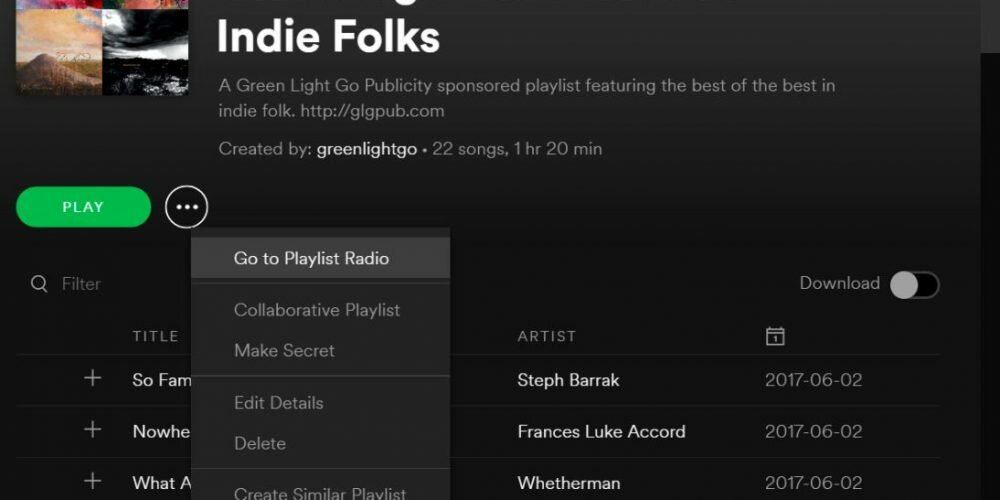
Opening the menu to share a Spotify playlist
On mobile, go to the playlist and tap the dots, vertical on iOS, horizontal on Android, then choose Share.
On desktop, right-click the playlist or click the three dots beside it, then Share.
Same menu, four different exits from it.
The link, and why it is the default
Copy link produces an ordinary web address. Sent to a phone with Spotify installed it opens the app; sent to anyone else it opens the web player and lets them listen or sign up.
That graceful degradation is the reason to prefer it. The other three all assume something about the recipient’s setup, and the link assumes nothing.
One thing the link carries that people forget: the playlist page shows who made it. Sharing a playlist shares a route back to your profile and to everything else you have published on it. That is fine most of the time and awkward once in a while, and the fix is on the profile rather than in this menu.
The URI, and the key you have to hold
The URI is Spotify’s internal identifier, shaped as a colon-separated string rather than a web address. Its job is to be pasted into the search box of the Spotify desktop app, where it jumps straight to the playlist.
Getting it is deliberately awkward. On desktop, hold Alt on Windows or Option on a Mac while the Share menu is open, and Copy link changes into Copy Spotify URI.
Send a URI to a friend by message and they see a line of text that does nothing when tapped. It is a tool for moving between Spotify surfaces and for developer work, not a sharing format, and treating it as one is the most common mistake in this menu. It survived from an era when it was the normal way to pass content around, which is why so much old writing recommends it.
The code, for sharing in person
A Spotify Code is a small graphic with a barcode pattern under the cover art. The other person opens Spotify search, taps the camera control, and points it at your screen.
It is the fastest route when you are sitting next to someone, and useless over a distance where you would send a link instead. Printed on a poster, a flyer or the back of a card it works well, which is where you mostly meet it in the wild.
Codes are images, so they inherit an image’s problems. Screenshot one at low resolution or let a messaging app compress it hard and the scan fails, with no error explaining why.
The embed, for a page you own
Copy embed code appears on desktop only and returns an iframe that renders a playable Spotify widget on a web page.
One limit governs whether it is worth using. Visitors who are not signed in to Spotify in that browser get a preview of roughly half a minute and a prompt to log in, and full playback needs a logged-in account in the same browser. An embed on a public page is therefore an invitation to listen rather than a player, and presenting it to readers as the latter will disappoint them.
Modifying the iframe by hand is the other way this goes wrong. Spotify’s own developer documentation notes that edits to the embed markup can drop the player into preview mode permanently, so paste what the menu gives you and resize with CSS around it rather than editing the tag.
The failure that is not the menu’s fault
If a recipient reports a page that will not load, check the playlist’s privacy state before blaming the link. A private playlist cannot be reached by anyone holding a link, by design, and the sharing menu will still hand you a link that looks perfectly normal.
The other version of this is an invitation link to a collaborative playlist, which Spotify gives a seven day life. Someone who clicks inside the window keeps their access afterwards; someone who clicks later gets an unavailable page. Generate a fresh one rather than assuming the playlist is broken.
Sources
- Spotify, Share from Spotify
- Spotify, Playlist privacy and access
- Spotify, Collaborative playlists
- Spotify for Developers, Embeds troubleshooting
- Spotify Community, How can I share content from Spotify with my friends
- How to Make a Spotify Playlist Private and Public Again
- How to Upgrade to Spotify Premium and Choose Who Bills You
- Go Offline on Spotify: Two Switches That Do Different Jobs
- Remove a Song From a Spotify Playlist and Undo a Mistake
- Delete a Playlist on Spotify and Get It Back Within 90 Days
- How to Find Friends on Spotify Without a Friends List