Ninety days is how long you have to undo it after you delete a playlist on Spotify, and the page that does the undoing is not in the app.
Deletion looks final in the interface. There is no bin, no archive, no undo banner that survives the screen you were on. That impression is wrong, and it is the reason people rebuild lists from memory that Spotify was still holding.
Removing it first
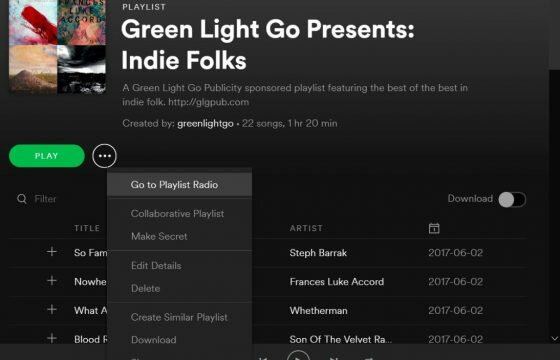
On the phone, find the playlist in Your Library, press the dots beside it, and take the delete option from the menu that opens. A confirmation follows.
On desktop, right-click the playlist in the left-hand list and take Delete there, then confirm.
For a playlist you did not create, the wording changes to something about removing or unfollowing, and that is a different action entirely. You are dropping a link to someone else’s list. Nothing is destroyed and nothing needs recovering.
Where to get it back after you delete a playlist on Spotify
Recovery lives on the web account page, at the address ending in account/recover-playlists. Open it in a browser while signed in.
The page lists every playlist removed from your account inside the window. Find the one you want and click Restore. Spotify’s instruction for what happens next is worth quoting because it saves a panicked second search: open Spotify and find the restored playlist “at the bottom of your playlist collection”.
It will not return to the position it held before. It arrives at the end of the list, which is why some people restore a playlist and conclude the restore failed.
The 90 day line
| Time since deletion | What you can do |
|---|---|
| Under 90 days | Restore yourself from the recovery page |
| Over 90 days | Nothing from your side; support has tools you do not |
Spotify states plainly that a playlist deleted more than 90 days ago cannot be recovered through the page. Contacting support is the remaining option and it is not a guaranteed one.
I would treat that window as shorter than it sounds. Nobody notices a missing playlist the week it goes; they notice in the season they next want it, which is often months later. If a list matters, the honest safeguard is not the recovery page but a habit of not deleting.
What recovery does not cover
The page restores whole playlists. It does not restore individual tracks removed from a playlist that still exists, and there is no history view showing what a playlist contained last month. A collaborative playlist that someone else emptied is intact as an object and empty as a list, so the recovery page has nothing to offer you.
That gap is the one real weakness in the system. Spotify built a safety net for the dramatic mistake and none at all for the small one.
Sources
- Spotify, Save and recover playlists
- Spotify Community, Can I recover playlists older than 90 days if I saved the URI
- Spotify Community, Recover old deleted playlists
- Spotify, Playlist privacy and access
- How to Make a Spotify Playlist Private and Public Again
- Four Ways to Share a Spotify Playlist and When to Use Each
- How to Upgrade to Spotify Premium and Choose Who Bills You
- Go Offline on Spotify: Two Switches That Do Different Jobs
- Remove a Song From a Spotify Playlist and Undo a Mistake
- How to Find Friends on Spotify Without a Friends List